Over the income limit for a Roth IRA? Learn how to execute a Backdoor Roth IRA on Schwab & Vanguard with our step-by-step guide for tax-free growth – Part 1
This is my first blog post for 2026, and I’m going to share one of the first moves I would recommend for 2026. I discussed earlier that if your income is too high to contribute directly to a Roth IRA, you don’t have to miss out on tax-free growth. The Backdoor Roth IRA is a legal strategy that allows high earners to bypass income limits.
A reader had emailed and wanted to understand how its executed operationally. In this guide, I’ll show you exactly how to execute this move using the two most popular platforms: Charles Schwab and Vanguard. Part 1 will cover Schwab, and Part 2 will cover Vanguard. I’m not affiliated with either brokerage – and this post is purely for educational purposes.
⚠️ The “Golden Rule” Before You Start
Before you touch a single button, you must understand the Pro-Rata Rule.
If you have existing pre-tax money in any Traditional IRA, SEP IRA, or SIMPLE IRA, the IRS will tax your conversion proportionally. Ideally, you want a $0 balance in all other Traditional IRAs before doing this.
Part 1: How to Do a Backdoor Roth IRA on Charles Schwab
Schwab makes this process relatively painless. I assume you have both a Traditional IRA, and a Roth IRA opened up at the brokerage. If not, start by opening up those accounts here. Click the buttons to open a traditional IRA, and then to open a Roth IRA. If stuck, post in the comments, or email me.
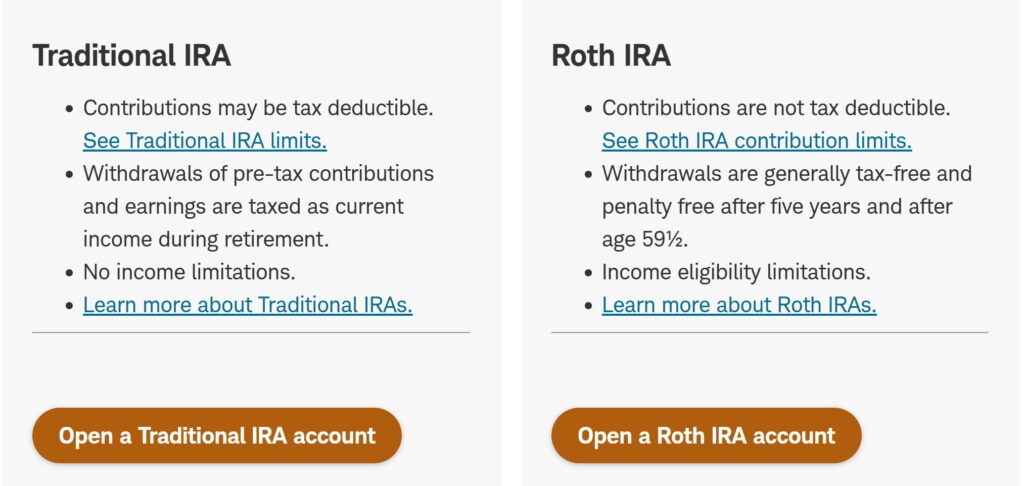
Once opened, here is the workflow:
Step 1: Fund Your Traditional IRA
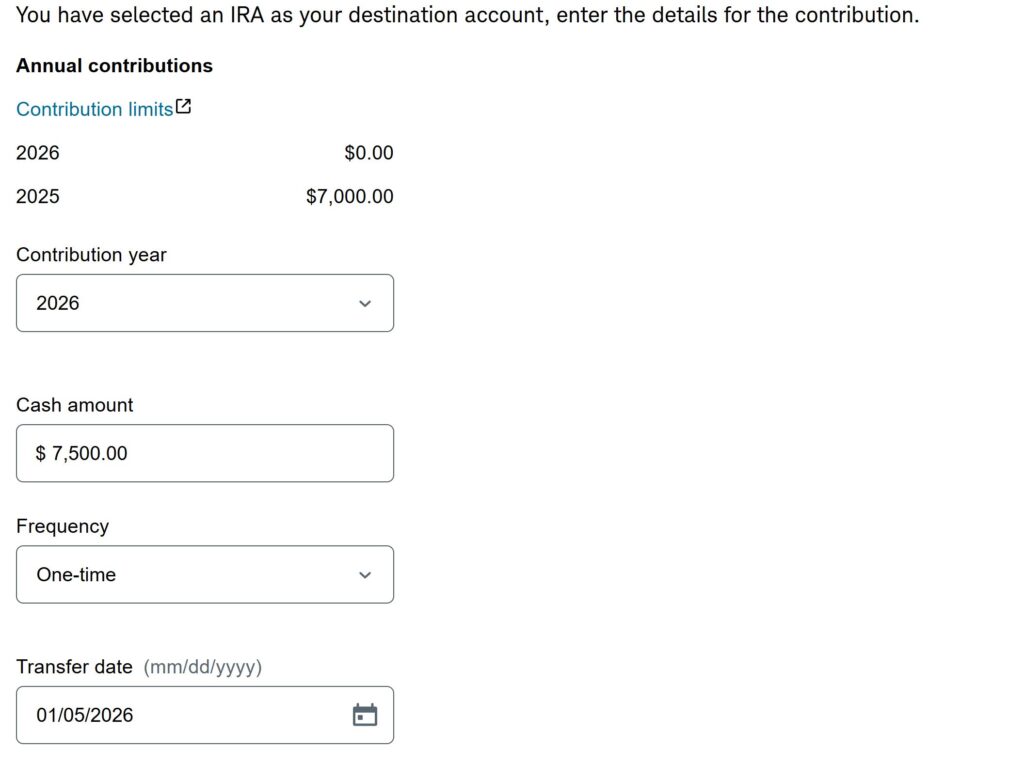
Contribute the maximum amount ($7,500 for most people under the age of 59) as a non-deductible contribution to your Traditional IRA. You can do this by transferring cash from another account to your IRA account.
Screen Shot for Online Transfer:
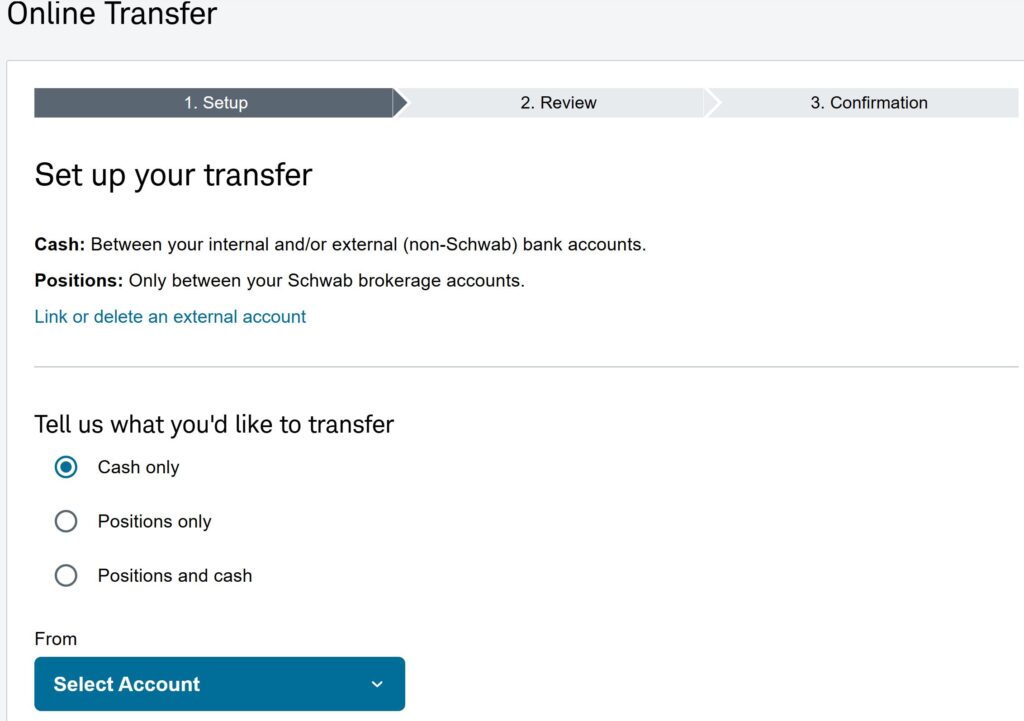
Note that you are transferring cash from a regular account to the Traditional IRA account. Wait for the funds to settle (it took 4 days for me). I recommend doing the entire contribution at once – maximizes time for tax free growth, and makes the process simpler.
Screenshot of the next Screen:
Step 2: Navigate to Transfers
I transferred on 5th January, and funds were available on 9th January to be converted to Roth. It is technically a distribution from Traditional IRA.
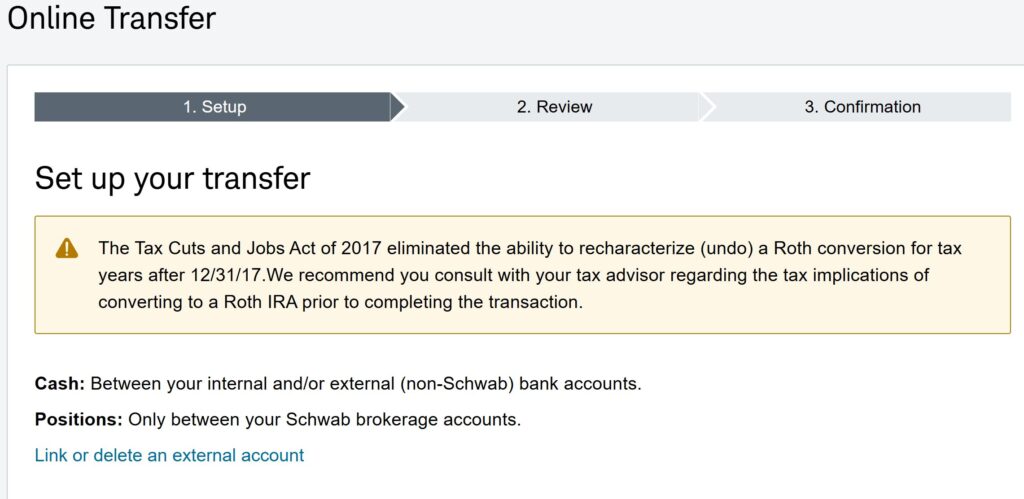
To do that conversion, log in, click on Transfers, and look for the option to move money between Schwab accounts. Select your Traditional IRA as the “From” account and your Roth IRA as the “To” account. And select “Convert Entire Balance.” If you don’t have a Roth IRA, you need to open with Schwab before continuing as discussed above.
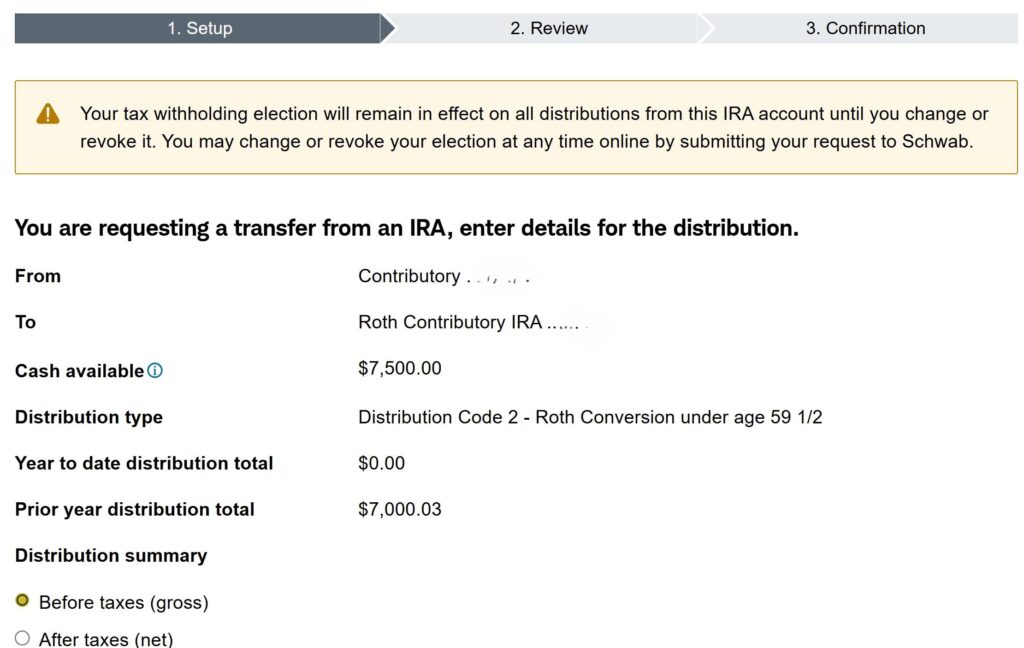
Step 3: Enter details for your distribution
Note that you just contributed to your Traditional IRA 5 days earlier. There are no gains on the amount. The amount you contributed was already taxed. So, no more tax is due. So, no tax witholding is needed – just make sure you convert the entire amount.
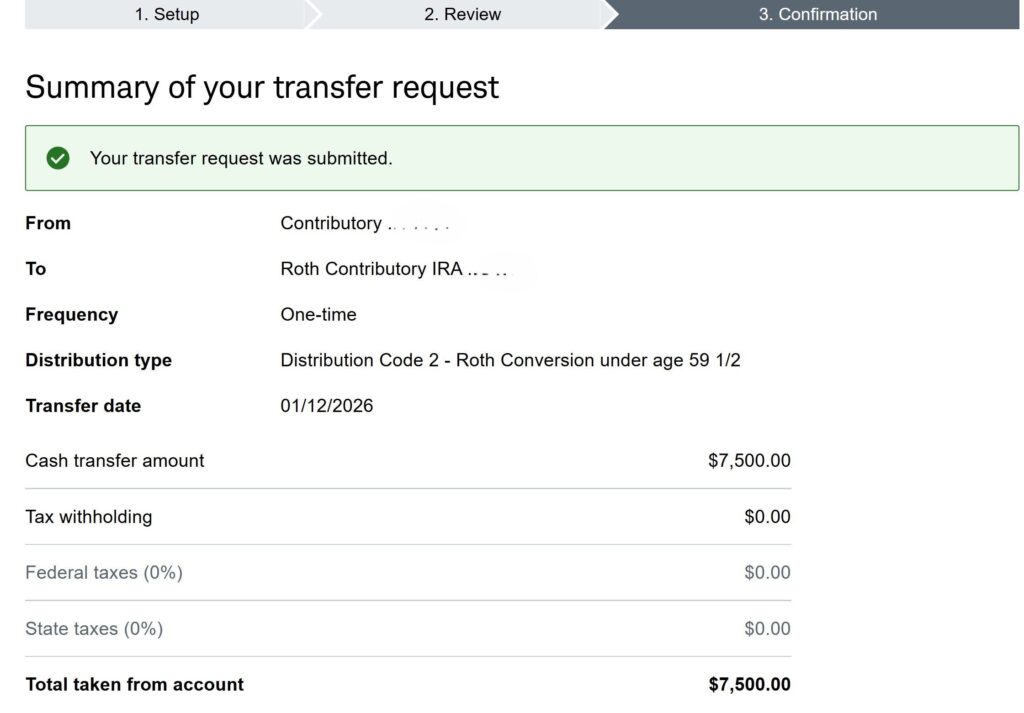
And voila, you have an additional $7,500 of cash in your Roth IRA.
Final Thoughts
Congratulations! You’ve successfully completed a Backdoor Roth IRA conversion. By following these steps, you’ve moved money into a tax-advantaged account that can grow tax-free for your future. Don’t forget to invest as per your asset allocation.
Important Note: Remember that you will need to file IRS Form 8606 with your tax return for the year you made the non-deductible contribution and the conversion. I use turbotax that does it automatically for me. This form informs the IRS that you’ve already paid taxes on the money you contributed, so you won’t be taxed again on the conversion.
Disclaimer: I am not a financial advisor or tax professional. This guide is for informational purposes only and should not be considered financial or tax advice. The tax laws are complex and subject to change. Always consult with a qualified professional before making any major financial decisions.